

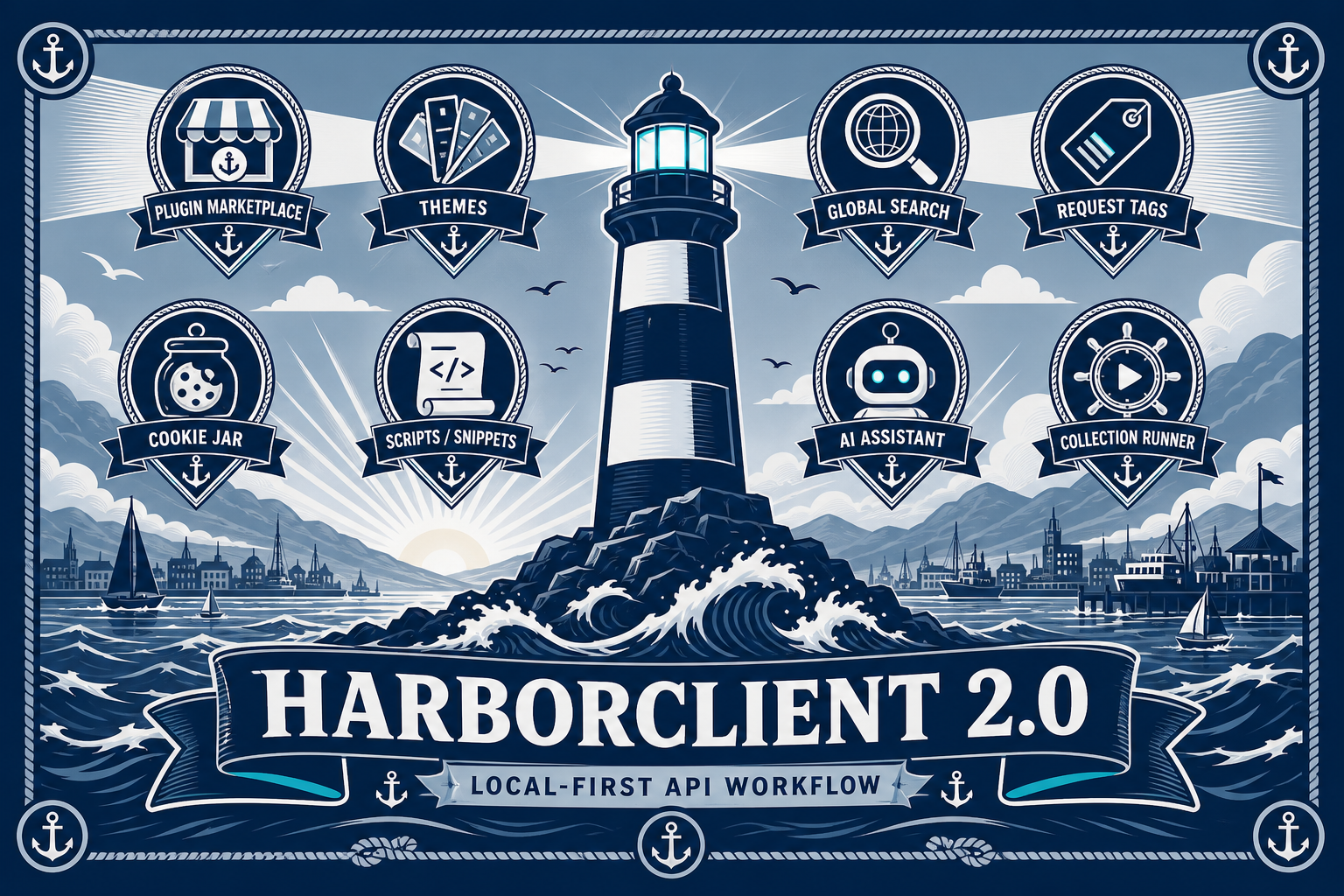
HarborClient 2.0 is here. Over the past several releases we shipped the features people asked for most — a curated plugin marketplace, installable themes, global search, request tags, cookie management, and a richer scripting story — while keeping the same promise: your collections stay on your machine or storage you control, with no accounts, subscriptions, or required cloud sync.
Version 2.0 marks a maturity milestone for the app. HarborClient has always been a capable HTTP client: collections, environments, git-backed storage, Team Hub, AI assistance, and request scripts. With 2.0, those pieces come together in a workflow that feels complete — extensible through plugins, searchable across your workspace, and organized with tags and cookies the way real API work demands.
The 2.0.0 release itself adds polish: a refreshed splash screen, an updated About dialog with social links, MDN documentation links on standard HTTP header names, and more reliable script change detection. The headline features landed in the 1.9 series that led here. Here is what is new.
A mature plugin marketplace
Plugins arrived in HarborClient 1.8.0. Version 2.0 completes the loop with a curated marketplace you can browse in the app or on the web.
Open Settings → Plugins → Marketplace to discover extensions maintained by the HarborClient community. The catalog today includes tools for AWS SigV4 signing, cURL and HTTPie import, OpenAPI import, JWT decoding, load testing, request history, dotenv loading, JSON validation, and more — 17 curated entries and growing.
Behind the scenes, @harborclient/sdk reached 1.0.0, giving plugin authors a stable surface for UI contributions, HTTP hooks, storage, and filesystem access. The plugin UI broker lets extensions register settings panels, sidebar views, request tabs, footer panels, and menu items without fragile one-off integrations. Plugin detail views now show screenshots, summaries, and publisher metadata so you can evaluate an extension before granting permissions.
Install from the marketplace, from a downloaded .hcp package, from a public Git repository, or via a deep link (harborclient://) that opens HarborClient and walks you through install. Git-sourced plugins include an Update button to pull the latest version. Unpacked development plugins hot-reload when you rebuild.
Browse the full catalog at harborclient.com/plugins.
Installable theme plugins
HarborClient ships with built-in light, dark, system, and high-contrast themes. With 2.0, theme plugins extend the appearance picker with community color schemes — install them from the marketplace or via deep link, same as any other plugin.
The catalog currently lists Catppuccin Latte, Nord, Gruvbox, Dracula, and Solarized. Choose a theme from Settings → General → Theme, or use the theme picker modal and app menu shortcuts. If you enable warn when switching themes, HarborClient confirms before changing appearance — handy when you are demoing or recording.
Contributed themes persist as plugin:<pluginId>:<themeId> and fall back to System if the plugin is disabled or removed, so you never get stuck on a broken theme.
Global search
Finding the right request in a large collection should not require clicking through every folder. HarborClient now includes global search across collections, requests, settings, and installed plugins — one search field, keyboard-first navigation, instant results.
This complements expanded menu shortcuts and a searchable keyboard shortcuts reference, so you can jump to a request or preference without memorizing where it lives in the sidebar.
Request tags
Tags give you a lightweight way to organize requests beyond folder hierarchy. Add tags to any request in the editor, then manage and filter by tag when your collection grows. Tags are stored in the request schema and travel with exports — useful for marking endpoints by team, API version, or status (draft, deprecated, production).
Richer pre/post scripts and snippets
Request scripts are JavaScript that runs before or after a send — ideal for auth flows, test assertions, and response transforms. HarborClient 2.0 extends that model:
- Script arrays — attach multiple pre-request and post-request scripts to a single request, not just one block
- Snippets — reusable script fragments you can insert without retyping boilerplate
- Configurable timeout — set a script execution limit in Settings so runaway scripts do not hang the app
- AI-assisted editing — the assistant can propose inline script changes via the
update_request_scripttool
Scripts run in a hardened SES sandbox in the main process — the same security-minded infrastructure used for plugin HTTP hooks. Your API keys and collection data never leave your machine.
Cookie jar management
Stateful API testing needs cookies. HarborClient now includes a full cookie management UI: view cookies by domain, edit values, and clear jars when you need a clean session. The request editor also gained autocomplete for headers, query params, and cookies — fewer typos on Authorization, Content-Type, and the rest.
In 2.0.0, standard HTTP header names link to MDN documentation so you can confirm semantics without leaving the editor.
Smarter AI assistant
The AI sidebar uses your own API keys, stored locally. Recent improvements include smarter chat title generation, the ability to abort in-flight assistant steps, and tools for inspecting collections, editing requests, and updating scripts inline.
HarborClient does not route your prompts or collection data through HarborClient-operated servers. Configure your provider in Settings → AI and work with your collections on your terms.
Collection runner and environments
The collection runner now supports running a single request from the runner modal — not only full collection passes. Useful when you are debugging one endpoint in a large suite.
Environment management gained merge environment down: propagate variables from a parent environment to its children without retyping shared values across staging, production, and local overrides.
Editor and settings polish
Smaller changes add up across daily use:
- MDXEditor for rich comments on collections and requests
- Settings search — jump directly to any preference without scrolling the sidebar
- Improved request/response editor visibility controls
- Sidebar accordion navigation for denser collections trees
- Accessibility improvements to button states, focus indicators, and keyboard operability
- Refreshed splash screen and About dialog with project links
Upgrade and get started
HarborClient 2.0 is a free upgrade. Existing collections — whether stored in local SQLite, MySQL, PostgreSQL, Firestore, git repositories, or Team Hub — upgrade in place. No migration step required.
Download the latest release for macOS, Windows, or Linux from GitHub Releases. Linux builds are available as .deb and .rpm packages.
New to HarborClient? See the getting started guide. Import existing work from Postman v2.1 collection exports or Bruno on-disk collections via Collections → Import.
HarborClient does not claim full Postman feature parity — some imported settings and scripts may need adjustment — but the core workflow is familiar: collections, environments, scripts, and a tabbed request editor, without vendor lock-in.
What has not changed
HarborClient 2.0 is still open source under the MIT license. There are no accounts, subscriptions, or usage limits. Your data stays where you put it. Plugins extend the app without routing secrets through HarborClient infrastructure.
If you ship a plugin or theme, open a pull request to add it to the marketplace catalog. Bug reports and feature requests are welcome on GitHub. We built 2.0 so HarborClient can grow with your workflow — and we are just getting started.
Download HarborClient 2.0 · Documentation · Plugin marketplace


Leave a Reply